
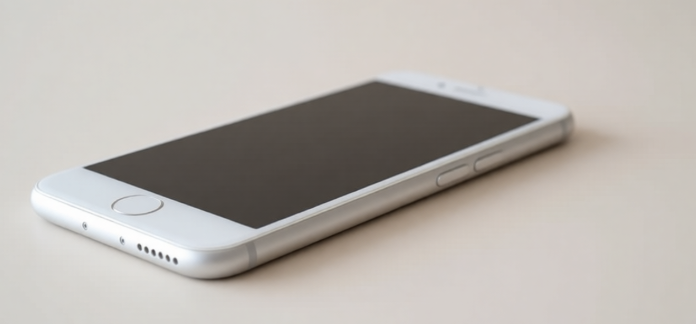
Smartphones have totally changed how we live — paying bills, chatting with friends, finding directions, ordering food, all right in our pocket.
But even with all that convenience, there’s this small but surprisingly common question people argue about: when you put your phone on the table, do you leave it screen up or screen down?
Here’s why a lot of people choose face-down — and why it actually makes sense in many situations:
1. It shows you’re really there with the people around you Flipping your phone over during lunch, coffee with a friend, dinner with family, or a work meeting quietly says: “You’ve got my attention right now.” It’s a tiny gesture, but it feels respectful — like you’re choosing the human in front of you over whatever might ping on the screen.
2. It cuts down on those constant little interruptions When the screen is facing up, every text, like, email, or app alert lights up and begs you to look. Face-down means you’re not getting pulled away every 30 seconds. You stay more present, and as a bonus, your phone doesn’t wake up as often — so the battery lasts a bit longer.
3. It gives your screen and camera lens a break The table might look clean, but there’s always a chance of tiny crumbs, grains of salt, sand, a spilled drop of coffee, or even someone’s keys sliding across. Keeping the display and camera lens against the surface (or protected by the case edges) lowers the odds of scratches, scuffs, or worse.
4. It keeps your stuff private Notifications can show previews of messages, names, group chats, or reminders. When the phone is face-down, nobody across the table accidentally (or not-so-accidentally) sees something personal — whether it’s a text from your partner, a work email, or a bank alert.
Quick reality check Of course, there are times when screen-up makes perfect sense:
- You’re waiting for an important call or ride-share update
- You’re by yourself and want to glance at notifications easily
- You’re with very close friends or family who don’t mind
But in most social or professional moments, putting the phone face-down has become a small, modern way of being thoughtful — both to the people you’re with and to the phone itself.
It’s not a strict rule… just one of those little habits that can quietly make moments feel more connected and your device stay in better shape.
The flip side of always putting your phone face-down
Even though placing your phone screen-down has a lot going for it, it’s not perfect for every situation. Here are some real downsides people actually run into:
1. You might miss something time-sensitive If you’re waiting for an important call (a doctor, your boss, a kid’s school, a ride-share driver, or a family member who might need you), keeping the screen hidden means you won’t see the call or text light up right away. For anyone who needs to stay reachable — whether it’s on-call for work, has young kids, or is caring for someone — this can create real stress or cause you to miss something urgent.
2. It can mess with quick glances at the time or reminders Lots of people use their phone as their watch these days. When it’s face-down, you either have to pick it up every time you want to check the time, see your next calendar event, or glance at a timer/alarm. Over a meal or meeting, that constant picking up can actually become more distracting than just leaving it face-up.
Does phone placement say something about how comfortable you feel? Some psychologists and social researchers have noticed an interesting pattern: When people feel completely at ease — with close friends, family, or a partner they trust — they’re more likely to put the phone away completely or flip it face-down and forget about it. In contrast, when someone’s in a new or slightly awkward situation (first date, meeting new people, professional setting with strangers), they often keep the phone face-up or within easy reach — almost like a little safety net or conversation fallback. It’s not a hard rule, but it’s one of those subtle modern social cues that a lot of people unconsciously pick up on.
A few extra thoughts on phone safety and health Beyond just which way you set it down, here are a couple of practical habits many experts still recommend to reduce any potential risks:
- Use speakerphone or wired/wireless headphones for long calls instead of holding the phone right against your ear. This keeps the device a bit farther from your head.
- Don’t keep it pressed against your body for hours (like in a tight front pocket). Storing it in a bag, backpack, or on a table/desk is a simple way to avoid constant close contact.
Quick note on radiation concerns: Current scientific consensus (from organizations like the World Health Organization, FDA, FCC, and major health agencies) continues to show that normal use of cell phones does not cause proven health harm at typical exposure levels. Still, many people feel more comfortable taking these small, easy precautions — especially during long calls or when carrying the phone all day.
A few more easy habits that many people find helpful for using phones more thoughtfully
Don’t sleep with your phone charging right next to your head Lots of folks charge their phone on the nightstand inches from their pillow. A simple swap — putting it on a dresser across the room, on a shelf, or even in another room — keeps it farther from your head while it’s plugged in and working hard. This is mostly about peace of mind and reducing very close, prolonged exposure during the hours you’re sleeping.
Switch off Wi-Fi and Bluetooth when you don’t need them If you’re not streaming, downloading, or connecting to anything, turning these off is a quick win. It can slightly lower the phone’s overall radio activity, gives the battery a noticeable break (especially overnight), and just feels cleaner if you’re trying to cut down on unnecessary signals.
Be extra mindful in spots with weak signal In basements, elevators, rural areas, or anywhere your bars drop to one or zero, phones automatically crank up their transmission power to reach a tower. That’s normal phone behavior — but it does mean higher RF output for that period. Whenever possible, step outside, wait until you’re in a better-coverage area, or just hold off on calls/texts until signal improves.
A few practical tips if you have kids using phones or tablets
Parents and caregivers often look for ways to make screen time feel safer and more balanced. Here are some commonly recommended approaches:
- Wait a little longer before handing over devices Many experts suggest delaying full smartphone access until kids are old enough to understand online risks, privacy basics, and how to spot trouble. The longer the start, the more time they have to build real-world skills and judgment first.
- Set clear time boundaries Reasonable daily limits (tailored to age) help protect sleep, attention span, mood, and even physical activity. Screens close to bedtime especially can make it harder to wind down — a lot of families aim for no devices in bedrooms after a certain hour.
- Turn on built-in safety tools Most phones and tablets have solid parental controls these days. Use them to:
- limit app downloads and purchases
- restrict screen time by app or category
- block adult content
- turn off location sharing or camera/mic access when not needed
- review privacy settings so the device isn’t sharing more than necessary
- Build in regular screen-free moments Making time for device-free meals, walks, game nights, or family hangouts without phones helps everyone reconnect face-to-face. Those unplugged moments often become the memories kids remember most.
Wrapping it up Whether you drop your phone face-up or face-down is honestly a personal call — both ways have their moments. What matters more is being intentional about how and when you use the device overall. Small tweaks like keeping it farther from your body at night, turning off unused radios, and being thoughtful with kids’ access can quietly add up to better rest, less distraction, and a healthier relationship with tech.